Manually creating Outlook profiles on every device is time-consuming and error-prone. Microsoft Intune can automatically provision the Outlook mail profile using the user’s Microsoft 365 identity, so new devices get a working mailbox without user or admin setup.
This guide shows how to create a Settings catalog profile that enables automatic Outlook profile configuration based on the user’s primary SMTP address. Once deployed, Outlook will sign in with the user’s M365 credentials when they open the app.
What You’ll Configure
- A Windows 10/11 configuration profile using the Settings catalog.
- The Outlook setting: Automatically configure profile based on Active Directory Primary SMTP address (User).
No user interaction is required after the profile applies; Outlook uses the signed-in Azure AD user’s mailbox.
Step 1: Create a New Configuration Profile
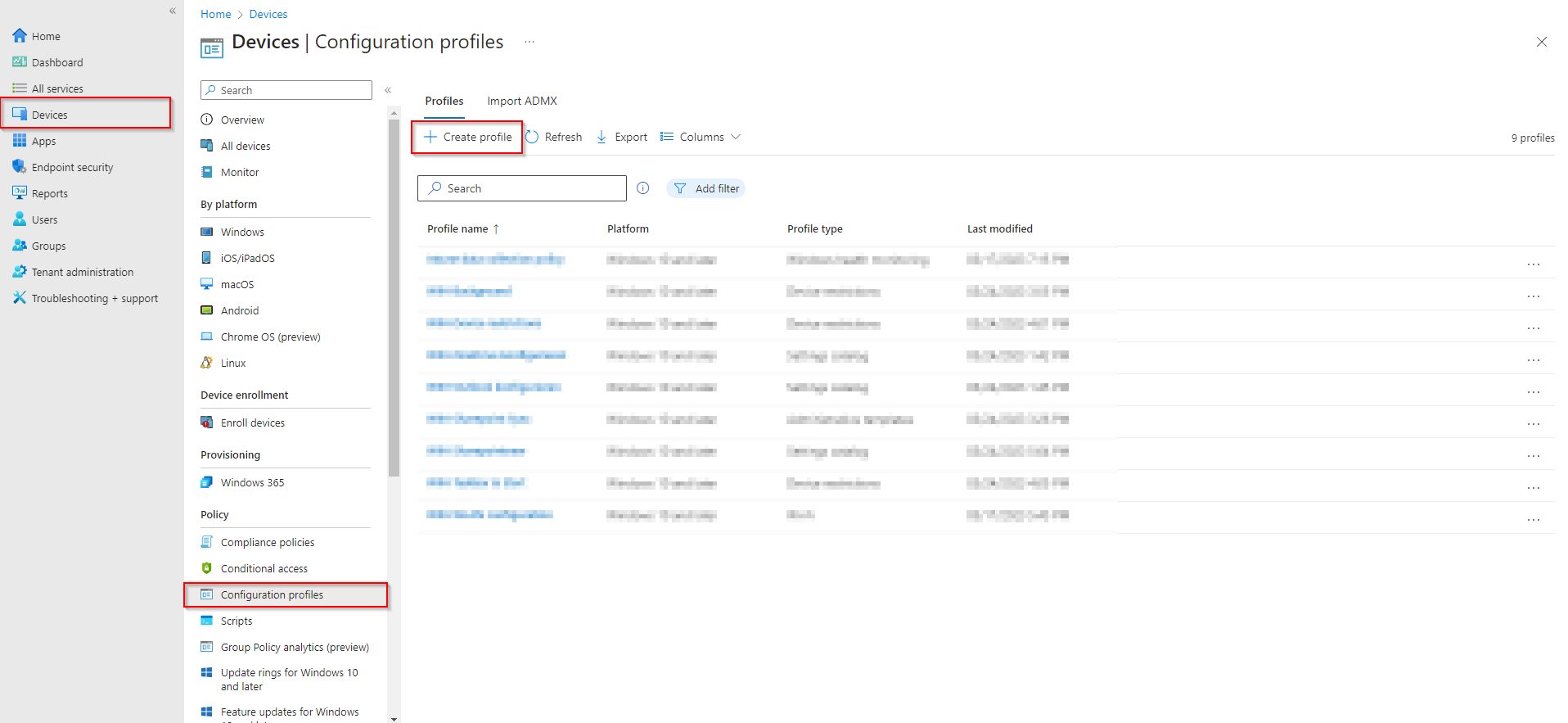
In the Microsoft Intune admin center, go to Devices → Configuration → Configuration profiles. Click Create → New policy.
Step 2: Choose Platform and Profile Type
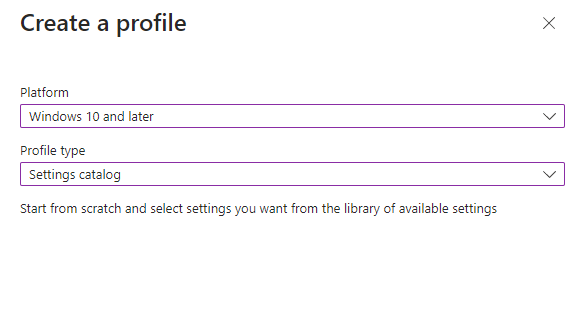
Set the platform to Windows 10 and later. For profile type, select Templates and then Settings catalog. Click Create, then Next.
Step 3: Basics
On the Basics page, enter a name (e.g. Outlook – Auto-configure profile) and optionally a description. Clear names help with troubleshooting and auditing. Click Next.
Step 4: Add the Outlook Setting
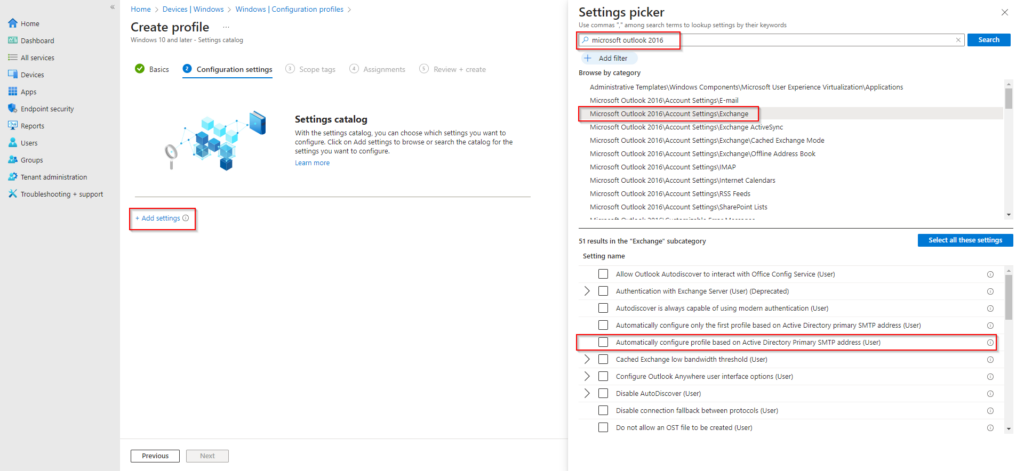
On Configuration settings, click Add settings. In the search box, type Microsoft Outlook 2016. Expand Microsoft Outlook 2016 → Account Settings → Exchange. Enable the setting Automatically configure profile based on Active Directory Primary SMTP address (User). Click Next.
Step 5: Assign and Create
Configure Scope tags if your tenant uses them, then click Next. On Assignments, add the groups that should receive this profile (e.g. All Users, or a specific pilot group). Click Next, review the summary, and click Create.
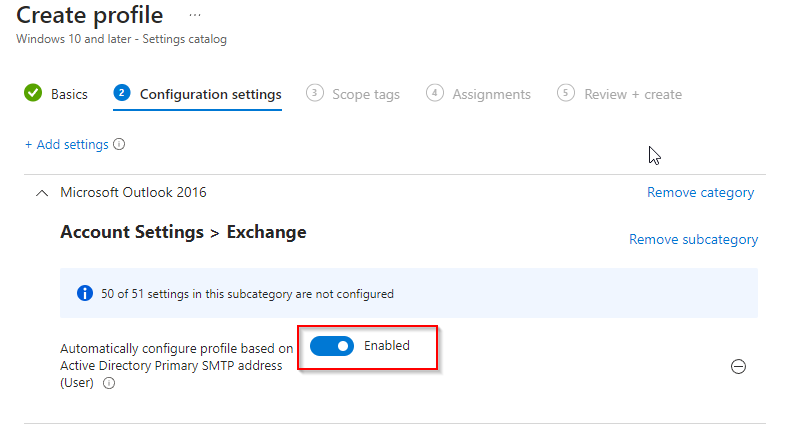
After the profile syncs to a device, Outlook will create the mail profile using the user’s primary SMTP address. This is especially useful for new device setups and Autopilot enrollments. Users open Outlook and their mailbox is already configured.
Wrap-up
You’ve configured automatic Outlook account setup with Intune by creating a Settings catalog profile and enabling the Exchange setting that uses the user’s primary SMTP address. Assign the profile to the right users or devices and allow time for policy sync; no manual Outlook profile setup is needed.